
Time Standards
All the settings and options to manage time standards for your club are here.
ADDING TIME STANDARDS
To add time standards to your club, navigate to your Settings menu and selected the Advanced Tab.
Note: You must be an admin on the club to access this menu.
Then scroll to the bottom where you will see a Time Standards section.

Click the Add Time Standards button to search for and select your time standards.

Don't see the time standard you want? Request it from us! Follow the steps HERE.
EDIT A TIME STANDARD
You can edit your time standard name, so it works for your internal purposes.
The global name will be set by default - but you can edit the name by clicking the edit icon next to it.

Once you rename it, click save so it stores for your club.
Is there something wrong with the time standard that you need corrected or changed?
Contact us at team@commitswimming.com for help with this.
REMOVE A TIME STANDARD
If you need to remove a time standard from your club, just click the remove icon next to it.

or you can select the ADD TIME STANDARDS button to deselect any you currently use.

REQUEST TIME STANDARD
Don't see the time standard you want to use? Request it from us!
Click the ADD TIME STANDARD button and go to the "Request a new time standard" menu.

Then upload the time standards.
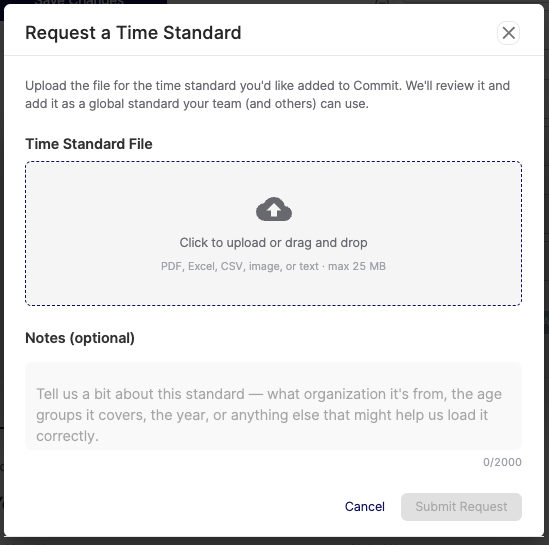
Once we review it and add it - you and other clubs around the globe will be able to access it!