
Website - Files
Quickly add files to your website for easy access to link into text fields as links!
See our information about for this in the RICH TEXT block editor.
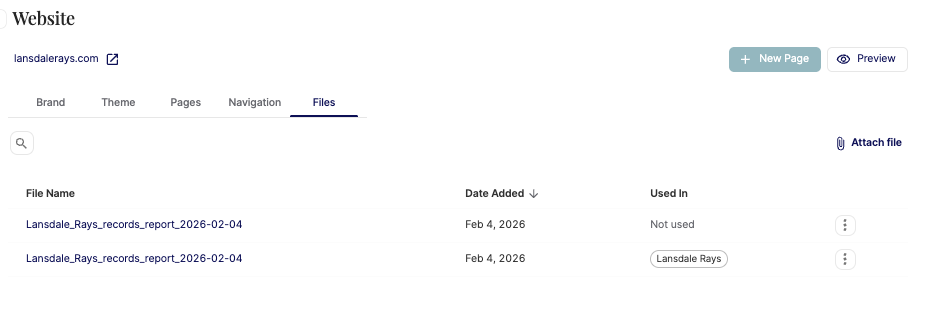
Click ATTACH FILE to add a new file to this page.
The file name will be whatever it is upon upload.
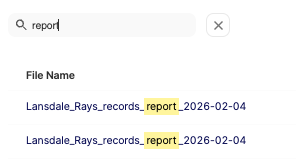
You can search the files for specific ones using the magnifying glass icon:
You can sort and view the date the file was added, making it easy to determine if some files are outdated.
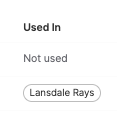
You can also see which pages the files are or are not used in:
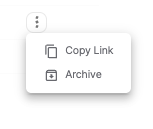
The actions icon next to the file will easily let you archive the file if you wish for it to no longer be used (but please update all pages that include the file first!) and it will let you copy the link to use if you wish to embed the file download link in any pages or elsewhere, such as emails, etc.
Have issues? Contact us at team@commitswimming.com